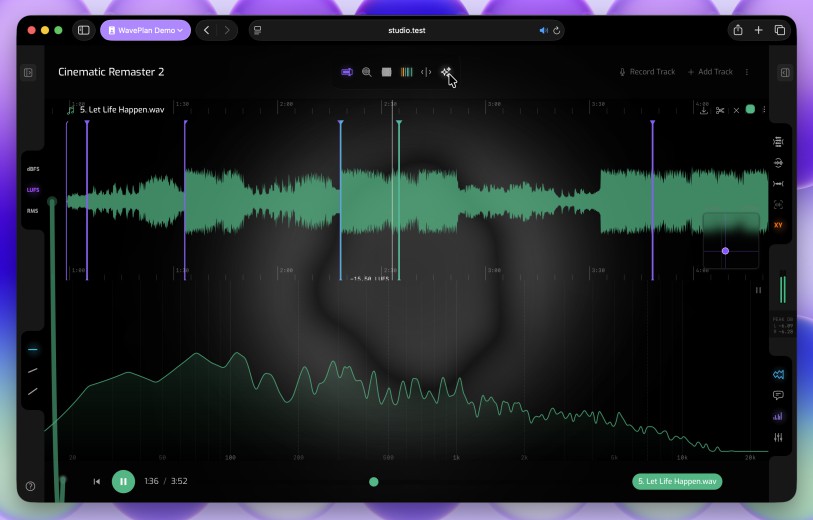
Built around your library
WaveDrive stores your projects the way you actually work — the same samples in every session, every changed file kept as a version, and every version within reach.
Three ways to sync
Every sync folder has a mode. Pick the one that fits the folder — and change it any time.
Upload Only
Your DAW is the source of truth. New and changed files head to WavePlan, and nothing ever lands in this folder from anywhere else. Use it for bounce folders and active project folders — backups and multi-device copies without surprises mid-session.
Download Only
Your library arrives on this machine. Files you upload elsewhere appear here automatically, and nothing on this disk is ever uploaded. Use it to pull projects onto a second computer or laptop — a read-only copy that never writes back home.
Bidirectional
Files flow in both directions — additions appear on every device, wherever they started. Use it for reference libraries that grow everywhere you work: one library, every machine, always current.
Every change is a checkpoint
WaveDrive keeps a version of every file it syncs — automatically, in the background, without touching your project folder. Overwrite a bounce, save over a mix, delete a file by accident: the earlier versions are still there.
Versions at the pace you choose
Immediate sync captures every file change the moment it happens — save over a mix and the previous version is already safe. Interval sync batches changes and versions each file when sync runs, keeping things quiet while your DAW is open.
Invisible to your workflow
Versioning stays out of your way — your folders look exactly as your DAW left them.
Restore to any point in time
Bring back any file — or a whole folder — exactly as it was. Restoring adds a new version rather than overwriting, so nothing is ever destroyed.
Deduplicated storage
The same sample used across ten projects is counted once. Identical files share a single copy regardless of how many folders they appear in — storage savings passed straight back to you.
Manage it all from the web
The WaveDrive view in WavePlan is your library, everywhere. Browse every synced file, walk through version history, and restore — from any browser.
Browse your whole library
Every project, bounce and reference in one place — organised by sync folder. Find any file and hear it without downloading.
Scrub through history
Open any file’s version history and move through every checkpoint, complete with dates and the notes you added when you restored before.
Restore with confidence
Pick the files, pick the point in time, add a note. Restoring creates a new version — nothing is permanently lost, and the change syncs back to your Macs.
Ready to catch every break? Create a free account and let WaveDrive look after your library.
WavePlan
Seamlessly integrates mix planning, waveform annotation and reference checking.
WaveDrive is included in your WavePlan subscription. WavePlan & WaveDrive work hand-in-hand — manage your sync folders remotely, annotate audio files by DAW project, and plan mixes and masters. WavePlan is great for exploring emerging ideas and igniting creative sparks.